
Zoom widgets
Widgets provide customisable analytical views designed to help users access the information most relevant to them. Each widget includes a predefined set of columns and filters and can be imported, saved, modified, and displayed within Prism.
The widgets below are available for Prism Version 25.03 and above. If you are using an earlier version of Tiger Prism and require assistance with existing widgets or reporting requirements, please contact the Customer Success Team at [email protected]. A member of the team can review your requirements and advise on the most appropriate reporting solution for your environment.
If you would like to upgrade and benefit from these newer widgets, please contact your Account Manager for further information.
Incoming hourly breakdown to Call Outcomes
Incoming half-hourly breakdown to Call Outcomes
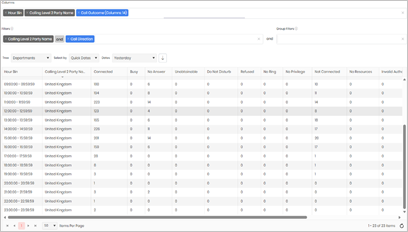
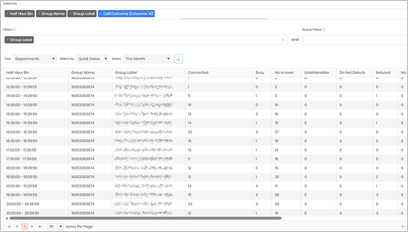
This hour‑by‑hour breakdown shows how calls are connecting, and where they aren’t.
This widget helps highlight call volumes, success rates, and patterns in call handling across the day.