Build the analysis around your question
Tiger Prism Analytics gives you control over how call data is selected, organised and calculated.
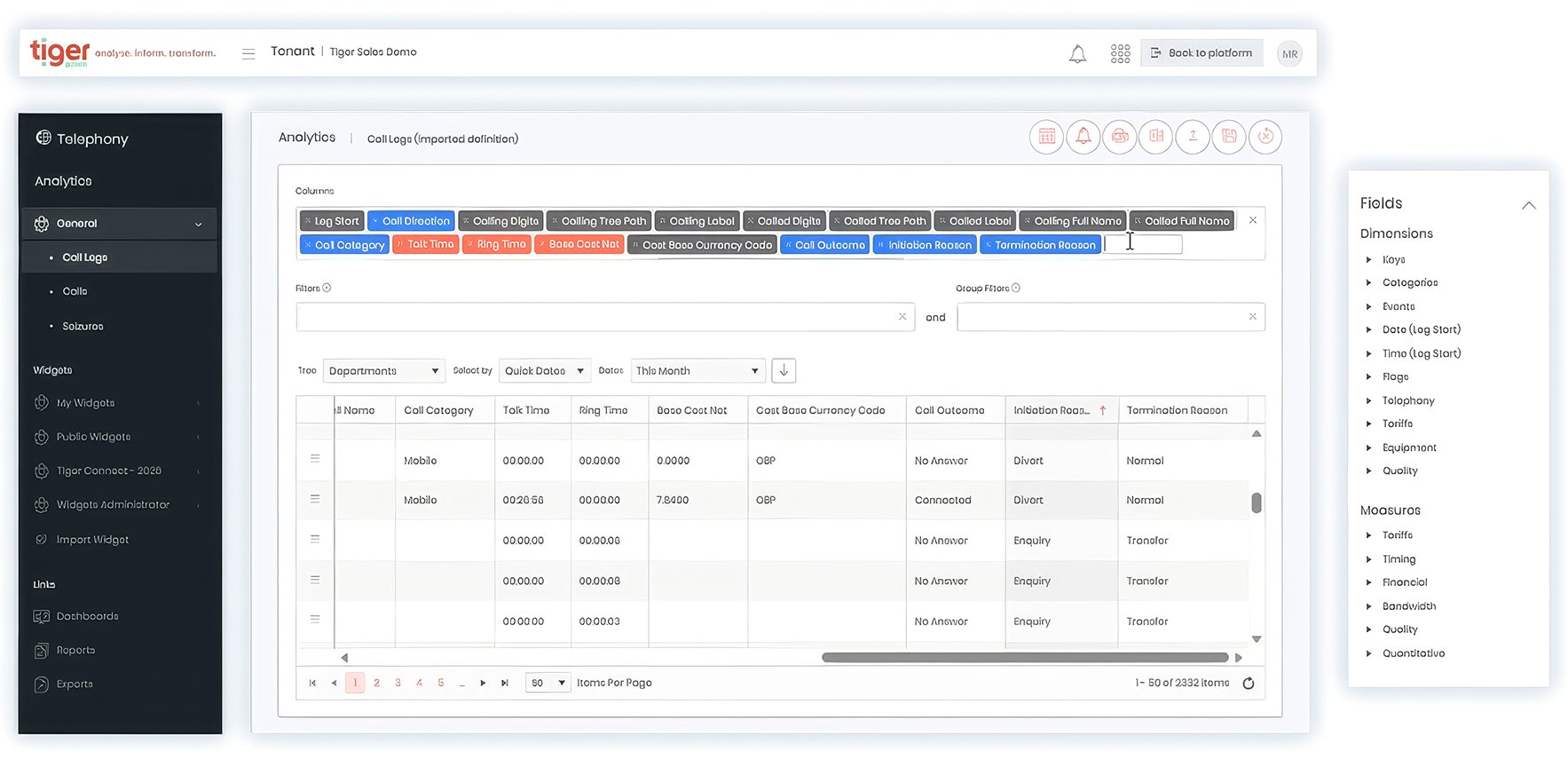
Dimensions describe the data you want to analyse, such as call direction, outcome, group, device, location or media type.
Measures quantify it through values including leg count, talk time, ring time, response time, queue time, cost and bill.
Combine them with precise filters, grouping and aggregation to turn large volumes of call records into a focused, useful result.
Analyse call activity across your organisation
Start with the question you need to answer, then build the query around it.
Choose Dimensions to categorise the data by attributes such as direction, outcome, group, device, location, digits or media type.
Add Measures to count call legs or calculate talk time, ring time, response time, queue time, cost and bill values.
Filter the results to remove irrelevant records, group them to reveal patterns and apply calculations such as count, sum, average, minimum and maximum. You can analyse high-level trends or return individual records when a specific call needs closer investigation.
Explore communications data
Access dashboards, analytics, reports and saved widgets, then import, export and share insights across your organisation.
Analyse What matters most
Select the metrics and dimensions that matter to your organisation, from activity and quality to performance and cost.
Focus on the right data
Filter results by date range, department, user, service or location to answer specific business questions.
Build tailored reports
Create custom views using hundreds of available fields and measures without specialist reporting expertise.
Turn Insight into action
Identify trends, uncover anomalies and generate reports that support better business decisions.