
WebEx Calling widgets
Widgets provide customisable analytical views designed to help users access the information most relevant to them. Each widget includes a predefined set of columns and filters and can be imported, saved, modified, and displayed within Prism.
The widgets below are available for Prism Version 25.03 and above. If you are using an earlier version of Tiger Prism and require assistance with existing widgets or reporting requirements, please contact the Customer Success Team at [email protected]. A member of the team can review your requirements and advise on the most appropriate reporting solution for your environment.
If you would like to upgrade and benefit from these newer widgets, please contact your Account Manager for further information.
Queue performance (High Level)
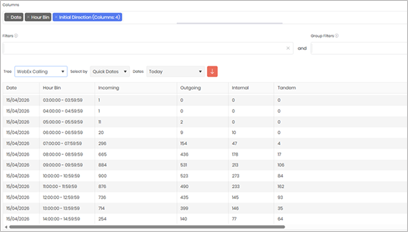
Total amount of calls Per Hour
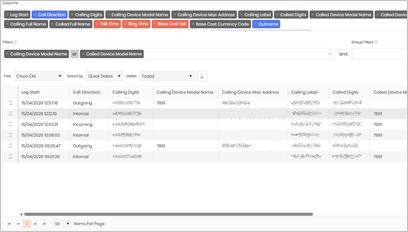
Calls by Cisco handset type
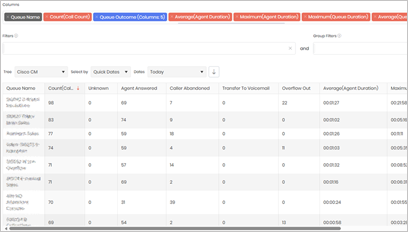
This widget summarises queue performance and call outcomes, showing call volumes, how calls were handled, and key metrics like agent talk time and queue wait time – ordered by busiest queue.
This widget offers a quick view of queue performance, call handling, and key metrics like talk and wait times – ranked by busiest queue.
This widget lets you view and analyse calls made from a specific Cisco handset model (e.g. 7811, 7821, 7841, 7861) by selecting the model number.