Telephony widgets – Inbound calls to Hunt Groups
Definition
The Hunt Group Incoming Calls widget allows you to search for and analyse inbound calls that have entered the business through a Hunt Group. The widget provides visibility of the call journey, including the Hunt Group that received the call, how the call was routed, the outcome of the call, and any subsequent transfers. This helps organisations understand call handling performance, identify missed calls, and review how incoming calls are being distributed across teams and departments.
Output list
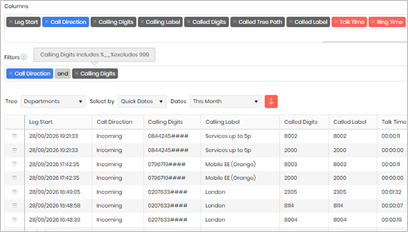
- Leg Start
- Call Direction
- Group Name
- Group Label
- Calling Digits
- Calling Label
- Called Digits
- Called Label
- Talk Time
- Ring Time
- Ring Time Band
- Queue Time
- Queue Time Band
- Response Time
- Call Outcome
Sample output
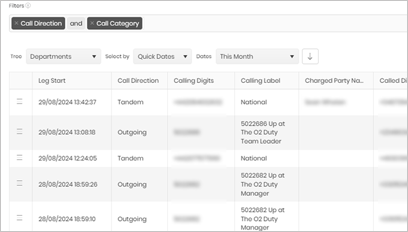
Widget text
{"ViewGuid":"86c3d71b-0b81-45ad-8eef-2ce931e9e32e","Definition":{"ColumnAggregates":[{"Alias":"LegStart_f674bb9c4636ea4c","Label":"Leg Start","ColumnId":"LegStart","AggregateType":"Value","IsAggregate":false,"IsExpanded":false,"Type":-2},{"Alias":"CallDirectionName_21791bb8f5558975","Label":"Call Direction","ColumnId":"CallDirectionName","AggregateType":"Value","IsAggregate":false,"IsExpanded":false,"Type":-3},{"Alias":"GroupName_764a6d3388cf96f9","Label":"Group Name","ColumnId":"GroupName","AggregateType":"Value","IsAggregate":false,"IsExpanded":false,"Type":-2},{"ColumnId":"GroupLabel","IsNew":true,"Type":-2,"Alias":"GroupLabel_e54fb46f48ed72e4","Label":"Group Label"},{"Alias":"CallingDigits_d09088315e473210","Label":"Calling Digits","ColumnId":"CallingDigits","AggregateType":"Value","IsAggregate":false,"IsExpanded":false,"Type":-2},{"Alias":"CallingLabel_eeb7ffaa03b95727","Label":"Calling Label","ColumnId":"CallingLabel","AggregateType":"Value","IsAggregate":false,"IsExpanded":false,"Type":-2},{"Alias":"CalledDigits_1ef177609e7de1c7","Label":"Called Digits","ColumnId":"CalledDigits","AggregateType":"Value","IsAggregate":false,"IsExpanded":false,"Type":-2},{"Alias":"CalledLabel_b1eb7b7736d13733","Label":"Called Label","ColumnId":"CalledLabel","AggregateType":"Value","IsAggregate":false,"IsExpanded":false,"Type":-2},{"Alias":"TalkTime_7975813d74e014f9","Label":"Talk Time","ColumnId":"TalkTime","AggregateType":"Value","IsAggregate":false,"IsExpanded":false,"Type":-1},{"Alias":"RingTime_94fd6b988fbe9c9e","Label":"Ring Time","ColumnId":"RingTime","AggregateType":"Value","IsAggregate":false,"IsExpanded":false,"Type":-1},{"ColumnId":"RingTimeBand","IsNew":true,"Type":-3,"IsExpanded":false,"Alias":"RingTimeBand_94e2a0d91fa70485","Label":"Ring Time Band"},{"ColumnId":"QueueTime","IsNew":true,"Type":-1,"AggregateType":"Value","Alias":"QueueTime_245f8395c140dbcc","Label":"Queue Time"},{"ColumnId":"QueueTimeBand","IsNew":true,"Type":-3,"IsExpanded":false,"Alias":"QueueTimeBand_05da9e4d9e60cc3b","Label":"Queue Time Band"},{"ColumnId":"ResponseTime","IsNew":true,"Type":-1,"AggregateType":"Value","Alias":"ResponseTime_c81af8bdd66664c8","Label":"Response Time"},{"Alias":"CallOutcomeName_d6d5eb380045f82c","Label":"Call Outcome","ColumnId":"CallOutcomeName","AggregateType":"Value","IsAggregate":false,"IsExpanded":false,"Type":-3}],"PreFilters":[{"IsAggregate":false,"ColumnId":"GroupName","FilterColumnAlias":null,"Alias":"GroupName_b9c5e99960f7834f","Label":"Group Name","Operator":"Contains","Value":"","Type":0,"AggregateType":"Value"}],"PreGroupFilters":[],"Parameters":{"SelectedTreeId":"1","DateSelectionMethod":"UseQuickDates","QuickDate":{"Type":"5","FromLocal":"01/09/2026 00:00:00","ToLocal":"30/09/2026 23:59:59"}},"GridSettings":"{\"columns\":[{\"index\":0,\"field\":\"Id\",\"width\":45,\"hidden\":false},{\"index\":1,\"field\":\"LegStart_f674bb9c4636ea4c\",\"width\":104,\"hidden\":false},{\"index\":2,\"field\":\"CallDirectionName_21791bb8f5558975\",\"width\":134,\"hidden\":false},{\"index\":3,\"field\":\"GroupName_764a6d3388cf96f9\",\"width\":110,\"hidden\":false},{\"index\":4,\"field\":\"CallingDigits_d09088315e473210\",\"width\":134,\"hidden\":false},{\"index\":5,\"field\":\"CallingLabel_eeb7ffaa03b95727\",\"width\":128,\"hidden\":false},{\"index\":6,\"field\":\"CalledDigits_1ef177609e7de1c7\",\"width\":128,\"hidden\":false},{\"index\":7,\"field\":\"CalledLabel_b1eb7b7736d13733\",\"width\":122,\"hidden\":false},{\"index\":8,\"field\":\"TalkTime_7975813d74e014f9\",\"width\":104,\"hidden\":false},{\"index\":9,\"field\":\"RingTime_94fd6b988fbe9c9e\",\"width\":104,\"hidden\":false},{\"index\":10,\"field\":\"CallOutcomeName_d6d5eb380045f82c\",\"width\":117,\"hidden\":false}],\"sortField\":null,\"sortDir\":null,\"pageSize\":50}"},"DefinitionVersion":1}
Modifications
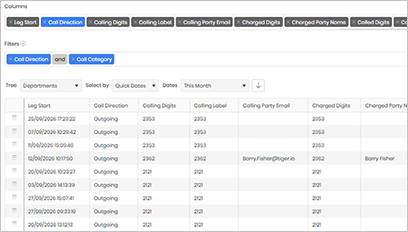
In the Group Name filter, enter the Hunt Group number that you want to use to filter the widget results. Once applied, the widget will display only calls associated with the specified group.
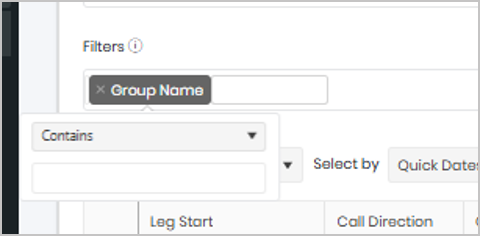
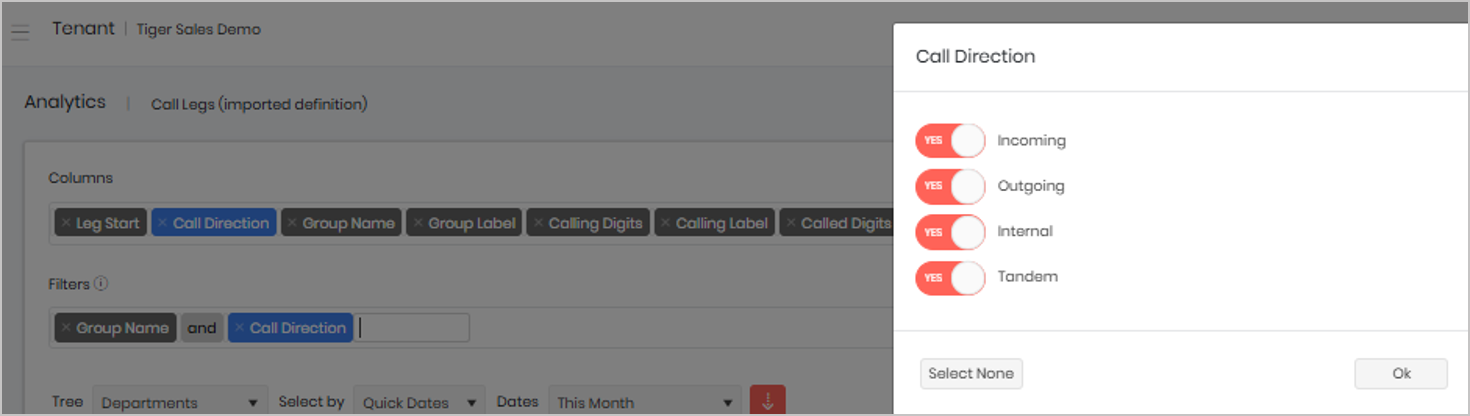
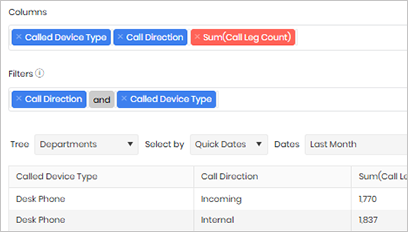
You can further refine the results by adding a Call Direction filter. This allows you to view only Incoming, Internal calls, depending on your requirements. Applying a Call Direction filter can help focus the analysis on a specific type of call activity and reduce unnecessary results when investigating call patterns or Hunt Group performance.