
Tiger Telephony widgets
Widgets provide customisable analytical views designed to help users access the information most relevant to them. Each widget includes a predefined set of columns and filters and can be imported, saved, modified, and displayed within Prism.
The widgets below are available for Prism Version 25.03 and above. If you are using an earlier version of Tiger Prism and require assistance with existing widgets or reporting requirements, please contact the Customer Success Team at [email protected]. A member of the team can review your requirements and advise on the most appropriate reporting solution for your environment.
If you would like to upgrade and benefit from these newer widgets, please contact your Account Manager for further information.
Inbound External Calling Digits
Out of Hours to a Specific Set of Called Digits
Summary of Called Device Types (incoming)
CDR Source Leg Count
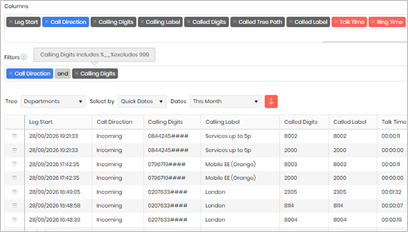
This Inbound External Calling Digits widget will allow you to search for a specific set of calling digits, (one or many) from an external caller. It will show where the call went in the business and the outcome of the call.
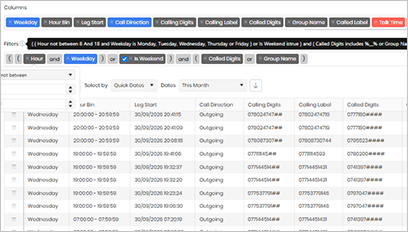
The Out of Hours widget outputs calls going to a specific extension either outside 8 – 18:00 weekdays or all-day Saturday and Sunday. The example is set at Called Digits of ‘2405’.
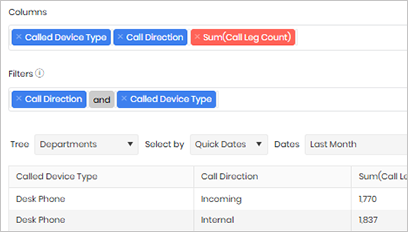
The Called Device Type widget will show the Called Device Types and the sum of the leg count for the period selected.
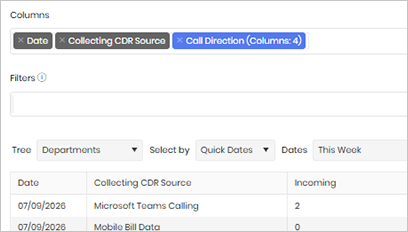
The CDR Source Leg Count will summarise the number of legs on each CDR source on your system over the period selected.
Individual High Cost Calls
Outbound International Calls
Inbound Calls to Hunt Groups
Emergency Calls
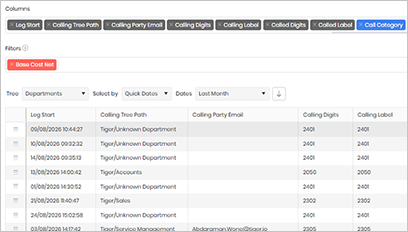
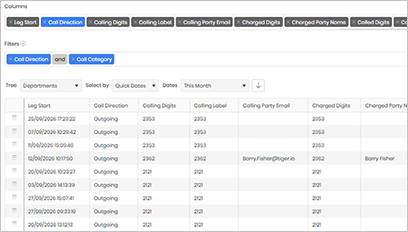
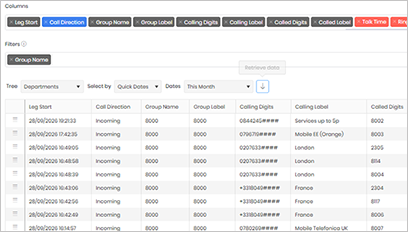
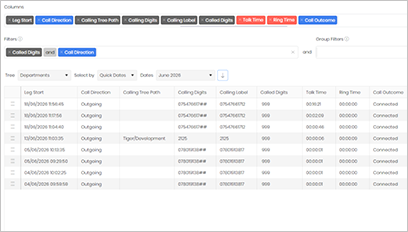
The Individual High Cost Calls widget will list any individual calls that have a total cost of more than the cost set in the filter. In this example it is set to £5.00
This widget will allow you to search for calls made to International numbers.
This widget will allow you to search for incoming calls that have come into the business via a Hunt Group.
The Emergency Calls widget will list any individual calls where the dialled digits is either 999 or 112.
Average Incoming Ring Time by Department
Time of Day Breakdown
Outgoing Total Minutes per category
Understanding Call Leg Volumes
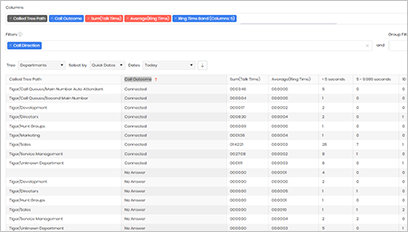
The Incoming Ring Time by Department widget will show a list of all departments in the directory tree with a sum of all calls inbound to that department and the average ring time for those calls.
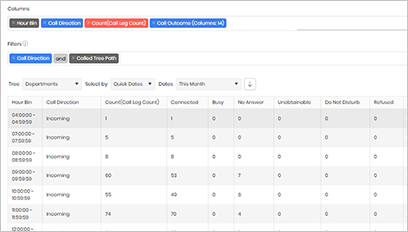
The Time of Day breakdown widget will show a summary of leg counts during the set of time bins, these can be hour bins, half hour bins, quarter hour bins or minute bins.
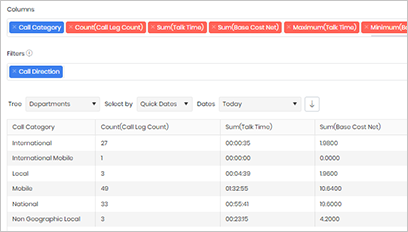
The Outgoing Total Minutes widget will show a summary of minutes per call category, i.e. National, Mobile etc
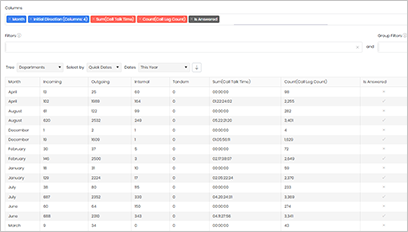
The Call Leg Count widget provides a high-level view of the total number of calls handled by your organisation during the selected reporting period. Unlike call leg reporting, which measures individual telephony events and routing activity, call reporting focuses on complete end-to-end calls.
Repeat Callers within 15 Minutes
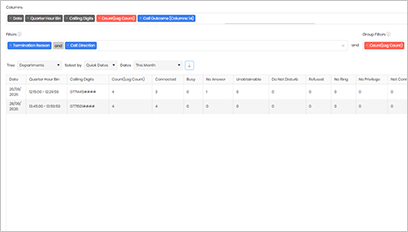
The Repeat Callers Within 15 Minutes widget identifies telephone numbers that have contacted the business multiple times within a 15-minute period.