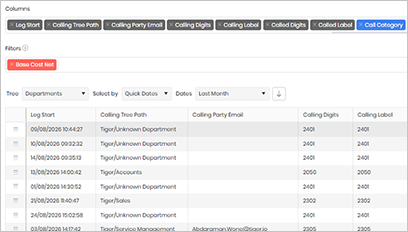
Telephony widgets – Summary of Called Device Types (incoming calls)
Definition
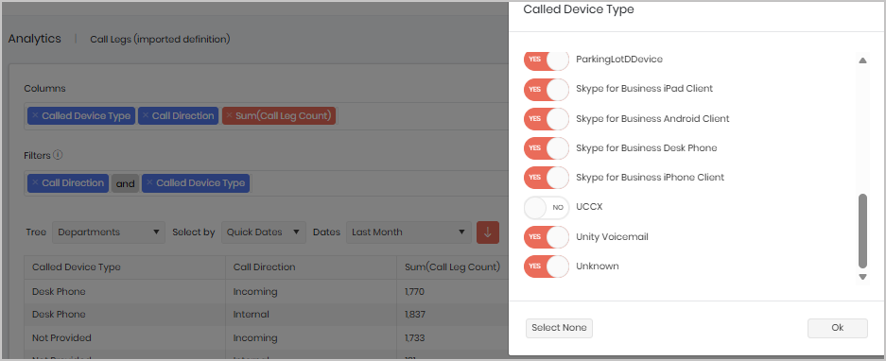
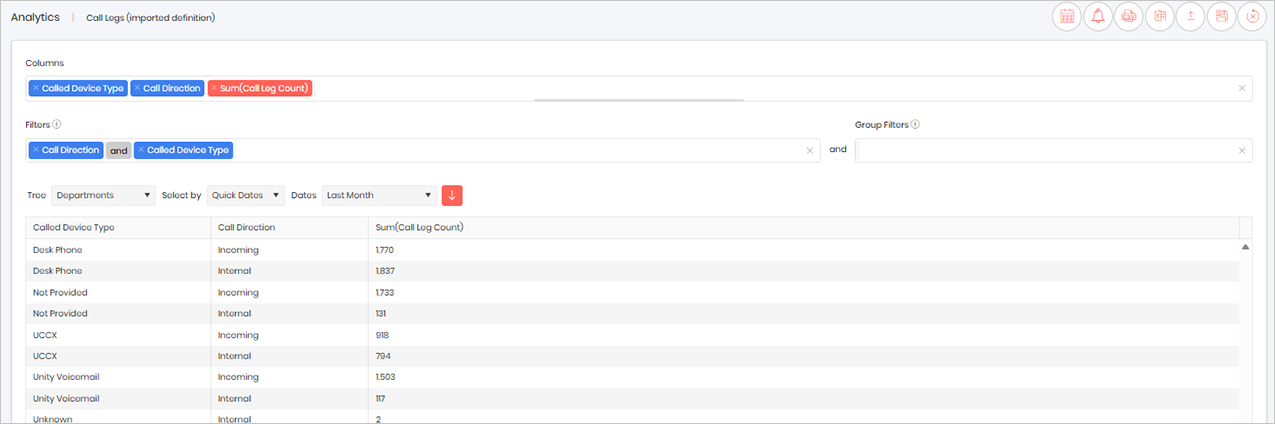
The Called Device Type widget displays the different called device types and the total number of call legs associated with each device type for the selected reporting period. This provides insight into where inbound calls are being directed within the organisation.
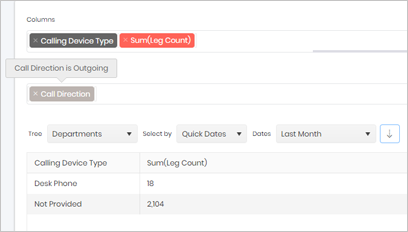
If you would like to analyse the outbound side of calls instead, you can switch the view to Calling Device Type, which will show the originating device types for the selected period.
Output list
- Called Device Type
- Call Direction
- Sum(Call Leg Count)
Sample output
NOTE: You can also see Device Type Adoption in the Telephony Dashboards under UC Adoption
Widget text
{"ViewGuid":"86c3d71b-0b81-45ad-8eef-2ce931e9e32e","Definition":{"ColumnAggregates":[{"Alias":"CalledDeviceType_65d83e8229d7847c","Label":"Called Device Type","ColumnId":"CalledDeviceType","AggregateType":"Value","IsAggregate":false,"IsExpanded":false,"Type":-3},{"ColumnId":"CallDirectionName","IsNew":true,"Type":-3,"IsExpanded":false,"Alias":"CallDirectionName_a2526df5c23957cf","Label":"Call Direction"},{"ColumnId":"CallLegCount","IsNew":true,"Type":-1,"AggregateType":"Sum","Alias":"CallLegCount_1f88c5a676774402","Label":"Sum(Call Leg Count)"}],"PreFilters":[{"ColumnId":"CallDirectionName","FilterColumnAlias":"leg_DirectionId","IsNew":true,"Values":["1","3"],"Names":["Incoming","Internal"],"Type":3,"Alias":"DirectionId_b8088c8e96aecf5c","Label":"Call Direction","IncludeAll":false},{"Symbol":"&"},{"ColumnId":"CalledDeviceType","FilterColumnAlias":"calledDevice_DeviceTypeId","IsNew":true,"Values":["3","15","7","16","13","6","5","14","4","8","53","2","0","52","11","12","9","10","50","51","1"],"Names":["Analogue Phone","Cisco Analogue Telephone Adapter","Cisco Android Client","Cisco Conference Bridge","Cisco Contact Centre Port","Cisco iPad Client","Cisco iPhone Client","Cisco Jabber","Cisco Unified Personal Communicator","Cisco Virtual CTI","Cisco WebEx Client","Desk Phone","Not Provided","ParkingLotDDevice","Skype for Business iPad Client","Skype for Business Android Client","Skype for Business Desk Phone","Skype for Business iPhone Client","UCCX","Unity Voicemail","Unknown"],"Type":3,"Alias":"DeviceTypeId_170ce0af62464e11","Label":"Called Device Type","IncludeAll":true}],"PreGroupFilters":[],"Parameters":{"SelectedTreeId":"1","DateSelectionMethod":"UseQuickDates","QuickDate":{"Type":"8","FromLocal":"01/08/2026 00:00:00","ToLocal":"31/08/2026 23:59:59"}},"GridSettings":"{\"columns\":[{\"index\":0,\"field\":\"CalledDeviceType_65d83e8229d7847c\",\"width\":264.754,\"hidden\":false},{\"index\":1,\"field\":\"CallDirectionName_a2526df5c23957cf\",\"width\":226.688,\"hidden\":false},{\"index\":2,\"field\":\"CallLegCount_1f88c5a676774402\",\"width\":2557.86,\"hidden\":false}],\"sortField\":null,\"sortDir\":null,\"pageSize\":50}"},"DefinitionVersion":1}
Modifications
Called Device Type turn on and off all the types you wish to see in the widget.